



Glossary: Navigating Cortex AI without the Guesswork
The time has come! You spent the last few weeks building out your Cortex Agent. You and your team took the time to prepare the data and make it ready. Today is day 1 of user testing. Today you get to see how good your agent is and what users will ask. Today is the day!
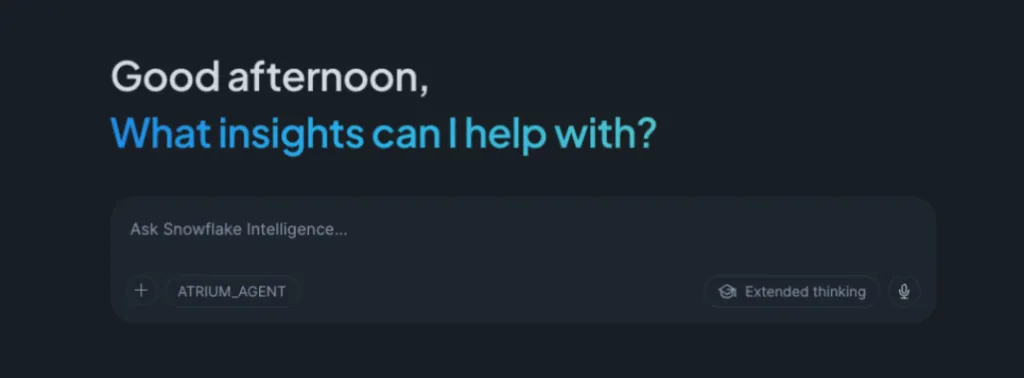
You send them the link to Snowflake CoWork, or whichever integration point your use case desires. As users click the link, each one sees a familiar interface. It greets them with a “Good morning! {insert name here}” and a familiar layout. Its familiarity arises from its likeness to other LLM experiences, such as ChatGPT, Claude, or Gemini. You’re feeling good, confident, and excited! After all, they’ll “get it.”
In the meantime, you have work to do. It’s time to switch to another priority. As you context-switch, you decide to check on some backlog items and squirrel away working on them. An hour or so flies by. Perhaps out of serendipity or intentionality, you take a break and open your email.
The page loads. Your emails pop up. The subject lines tell the story:
- “Unable to get answer to question” — Tester 1
- “Few questions on the Agent” — Tester 3
- “Question on Agent: Can it answer X?” — Tester 5
Similar emails follow
You have a choice: wait until the late afternoon meeting to sync with testers, or stop what you’re doing and respond now. If you wait, progress halts. Users feel fatigued, frustrated, or annoyed. After all, they’re probably thinking, “ChatGPT, Claude, and Gemini always have a response… why doesn’t this?”
Action is needed
You decide to stop and respond to each email. Worst-case scenario, the problems require you to dig into different parts of your agent: semantic views, Cortex Search, Cortex Analyst, Agent Orchestration. Best-case scenario, you have to respond with a somewhat lengthy email that requires time, attention, and care. That’s time spent. That’s time lost.
You may have thought so much about creating a great agent that you forgot about the user experience. Or perhaps, in a much better scenario, you actually sent users a Google Doc explaining the agent, the semantic views it uses, and a little about what each means.
But if you’ve ever written documentation, you know how it goes:
- Worst case: Folks don’t read it. Too technical or no time to devote to it.
- Typical case: Folks skim it. They have a day job, after all.
- Best case: Folks read it through and through. (Thank you, thank you, thank you!)
Even in the best case, you still get an email asking for clarification. Ambiguity lurks. Hopefully, there isn’t much of a back and forth. By the time you get to the meeting, you’ve spent a lot of time providing explanations and level-setting for folks that your Snowflake Agent (Cortex) isn’t ChatGPT.
The 4 essential problems
To the clever architects, engineers, or data folks: I’m sure you’ve already poked some holes in this scenario. To those who have lived through this: I’m sorry; we understand the pain. To those who haven’t yet done a Cortex implementation: hopefully this helps you prepare!
Regardless of your position or how well you respond to it, the essential problems are:
- Expectations: How do you set the right expectations for a non-technical or semi-technical tester?
- Communication: How do we communicate what the agent is, what it does, and most importantly, what it cannot (yet) do?
- Shielding: How do we shield your technical owner from the flood of emails?
- Experience: Above all else, how do we make this experience enjoyable for the tester?
As the old UX saying goes: Know thy user! So, just how much do we know? And how do we keep that knowledge accurate as the data under the hood shifts over time?
Glossary, Your Self-Service Guide
If the problem is a gap in expectations, the solution isn’t more static documentation. It’s Glossary: our metadata-driven answer to the “black box” problem.
The documentation death spiral
We built Glossary because we understand a fundamental truth of the Snowflake ecosystem: data is a moving target. As you ingest new sources, your semantic views must evolve; they get reworked, partitioned, or sunset to keep pace with the business. The moment you hit “save” on a new join, your manual documentation is already a relic.
We’ve seen it a hundred times: as Snowflake Cortex agents grow, the “user guide” becomes a source of frustration rather than a source of truth.
Glossary doesn’t just sit there; it scales alongside your logic—ensuring that your user experience is as dynamic as your data.
What exactly is Glossary?
Think of Glossary as your embedded meta-agent. Unlike your primary Cortex agent, Glossary doesn’t actually “know” your row-level data. It doesn’t care about your Q3 revenue or your inventory counts. Instead, it is the master of your metadata.
It is a dynamic engine designed to provide:
- Real-time scans: It automatically parses the tables and logic composing your semantic views at any given moment. If you change a view at 9:00 AM, Glossary knows it by 9:01 AM.
- Project-specific enrichment: It’s grounded in the nuances of your business logic, not generic LLM “guesses.”
- Concierge-like navigation: It acts as a concierge. If a user is lost, Glossary points them toward the specific agent best suited for their question.
See Glossary in action
Want to see how it works in practice? Explore the Glossary demo to see how users can quickly understand what their Cortex agents can answer, discover the right agent for their needs, and get guidance without relying on static documentation.
Why “know-nothing” is a strategic win
By design, Glossary knows nothing about your actual data. Its sole purpose is user assistance. Imagine a tester asks: “Can I see the churn rate for North America?” instead of a confusing error message or a risky hallucination. Glossary steps in:
“I can help with that! You should use the Revenue Agent. It uses the
COMMERCIAL_SALESsemantic view, which includes churn metrics for all geographic regions. Since you don’t have access, please contact your Snowflake Admin for access!”
Bridging the “capability gap”
One of the hardest parts of AI adoption is managing the “No.” Glossary handles the rejection so you don’t have to. It proactively identifies when a question is outside the scope of your current models, effectively shielding your technical team from the “Why doesn’t this work?” email flood.
The Glossary philosophy: Documentation shouldn’t be a PDF your users ignore; it should be an agent they actually talk to.
Beyond the day 1 email flood
The goal of any Cortex implementation isn’t just to build an Agent that can answer a question; it’s to build a system that users actually trust. Trust isn’t built in a vacuum—it’s built through transparency, consistent communication, and a seamless user experience.
Do more than just automate documentation
By implementing Glossary, you’re doing more than just automating your documentation. You’re:
- Decoupling support from development: Let your engineers focus on the next sprint while Glossary handles the onboarding.
- Scaling with Snowflake: As your data grows and your semantic views evolve, your “User Concierge” stays perfectly in sync.
- Driving adoption: When users feel guided rather than ghosted, they move from skeptical testers to power users.
Don’t let your day 1 excitement be buried under a mountain of “How do I use this?” emails. Shield your team, empower your users, and let Glossary handle the gap between the data and the person trying to make sense of it.