


Dashboards vs Agents: The How-To Guide for Using Both in Your BI Strategy
TLDR/key takeaways:
- In the dashboards vs AI agents decision, the deciding factor is how repeatable the answer needs to be: questions that many people ask the same way every day belong on a dashboard, and open-ended questions belong with an agent.
- Agentic analytics in business intelligence takes three forms: chat-based question answering, scheduled AI-generated debriefs, and agents that act on data, such as updating opportunity fields in a CRM.
- Executive metric cockpits should stay on dashboards until every metric is defined in a governed semantic layer, because AI agents drift when a metric like “revenue” has more than one definition.
- Root cause analysis is the strongest use case for AI agents, because tools like Tableau Pulse and ThoughtSpot Spotter can test far more dimensions than any dashboard can display.
So which of your dashboards should hand off to an agent, and which should stay?
Business intelligence is changing. Nearly every day brings a new headline about “headless this,” “MCP that,” or a vibe-coded HTML dashboard, and it’s easy to lose sight of the practical impact for your business. This series is about the point of view you bring to BI, not the new tech.
The first post made the case that dashboards aren’t dead. This one takes on dashboards vs AI agents directly: which types of dashboards should stay, which should move to agentic analysis, and how to tell the difference. The next post covers the new role of the analyst.
The pressure is real: Gartner research published in March 2026 notes that organizations increasingly want to move analytics use cases from dashboards to natural language query. The question is which ones should.
What is agentic analytics?
Agentic analytics is the use of AI agents to answer, summarize, or act on business data instead of relying on a person to read a dashboard. In BI, it takes three common forms.
- Chat-based question answering. A user asks a question in natural language, and AI interprets it and responds. Examples include Snowflake Cortex Agents and connecting Claude to Tableau Cloud through Tableau’s official MCP server. Several BI tools build this in: ThoughtSpot’s Spotter is one of the most capable, and Sigma offers a chat element that connects to Snowflake Cortex Agents inside a workbook.
- Scheduled debriefs. An agent reviews the data on a schedule and delivers a written summary.
- Taking action. An agent reviews data such as an opportunity pipeline and updates fields like expected close date, stage, and amount. Gartner predicted in June 2025 that at least 15% of day-to-day work decisions will be made autonomously through agentic AI by 2028.
With those definitions in place, here is how four common dashboard types hold up.
Why do recurring overviews still belong on dashboards?
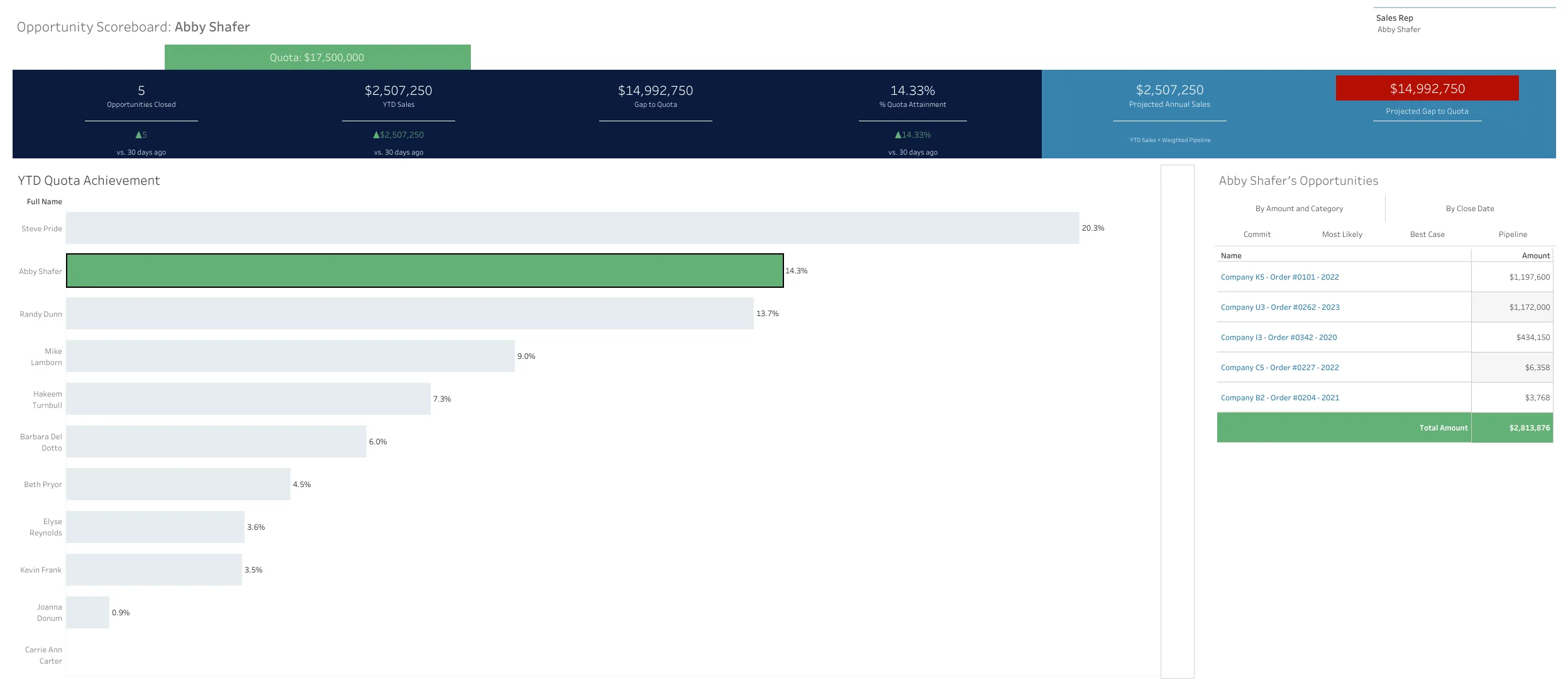
When many users ask the same broad question every day, a dashboard gives a more consistent answer at a lower cost than an AI agent. Think “How am I doing?” or “What’s my pipeline?” If every rep logs in to see pipeline by stage and product, a dashboard answers that the same way every time. Large teams asking an agent the same simple questions every day burn through tokens quickly.
Cost isn’t a side issue. Gartner’s June 2025 prediction that over 40% of agentic AI projects will be canceled by the end of 2027 cites escalating costs and unclear business value among the reasons. Identify what users need to know and build simple dashboards to answer it; AI can help build them quickly without replacing them.
Overview dashboards are also great training tools: standardized visualizations can walk users through a new sales process step by step. You can write skills so an agent always responds a certain way, but in my experience those answers drift over time, and the effort just moves to managing the agent. In the time it takes to develop the skill, you can build the dashboard.
Should executive metric cockpits move to AI agents?
Executive metric cockpits should move to AI agents only when the organization has a mature, well-defined semantic layer. A metric cockpit gives leaders a quick set of answers on the same metrics every day, usually for at least a quarter. Those metrics must be explicitly defined, approved, and surfaced the same way every time.
Because these reports are both repeatable and high-impact, data maturity decides the direction. AI is prone to hallucination and drift when metrics aren’t clearly defined. That’s a serious problem if executives make decisions without realizing “revenue” isn’t being reported consistently. It’s also a common gap: Gartner reported in February 2025 that 63% of organizations either do not have, or are unsure if they have, the right data management practices for AI.
- Early in your data maturity? Build the cockpit as a traditional dashboard, or use metric cards such as Tableau Pulse.
- Mature data practices and a governed semantic layer? It may be easier to give an agent a precise set of instructions to read the defined metrics and report on them. Snowflake, for example, notes that Cortex Analyst relies on semantic views to answer data questions reliably. Our post on data readiness for Snowflake CoWork covers what that foundation takes.
When do daily debriefs work better as AI summaries?
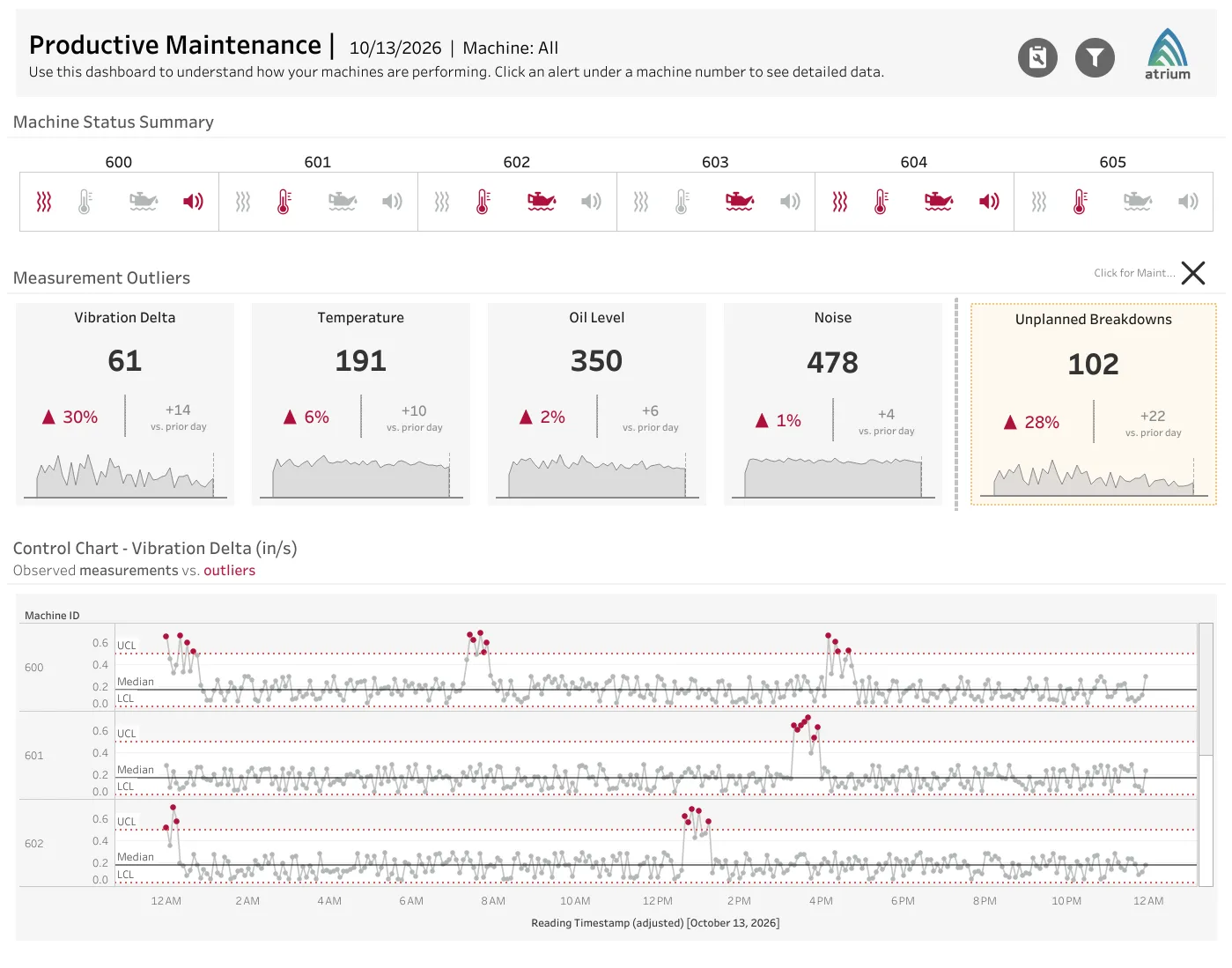
Daily debriefs work better as AI summaries when users accept an answer that changes with each day’s data, and better as dashboards when they need the same exact answers every day. Debriefs sit right at the intersection of the two, and the line comes down to how exact the answer needs to be.
If users expect a specific, predetermined set of answers, you’re back in the recurring-overview scenario: build a dashboard that answers exactly what they need. If users are comfortable with a summary that shifts based on what happened that day, it’s usually more efficient to coach an agent or set up skills that decide what to report.
What I see most often is a hybrid. Users need a few key answers every day plus a few that change with the data. That’s a great fit for an agent with specific instructions: always report X, then cover Y or Z when the data calls for it.
Why is root cause analysis the best fit for AI agents?
Root cause analysis is the type of dashboard that benefits most from moving to AI agents, because agents can test every dimension without anyone building a visualization for each one. Consider sales data broken out by category, subcategory, product, color, region, state, store, manager, customer type, and more, each tracked over time against profit, quantity, and discount.
Building, validating, and displaying every one of those views would take a very long time, and you’d still hand users a complex, multi-lever dashboard and hope they reach the correct conclusion.
This is where Tableau Pulse and ThoughtSpot Spotter shine. Once a metric is defined, Pulse breaks it down by dimension and surfaces important changes automatically. Spotter queries live data in sources including Snowflake and runs multi-dimensional analysis to explain why a metric changed, without the dashboard development and requirements gathering.
If you’re looking for a root cause or a starting point, an agent is likely the way to go. Dashboards remain the better option when you need to dig deeper with specific analysis and rule out hallucination.
How do you decide between dashboards and AI agents?
Dashboards win when the answer has to repeat. Agents win when the question doesn’t. That principle sits behind every recommendation above and applies to dashboard types this post doesn’t cover. Instructions and skills reduce drift but don’t eliminate it, while an agent handles ad hoc questions and drill-downs far faster than any developer can build, test, and ship. For a related framework that adds embedded insights to the mix, see analytics in an agentic world with Agentforce and Tableau Next.
The right answer also depends on your team’s skills and the resources available to maintain either solution. Mature teams with well-governed data may lean toward agentic reporting, while teams with messy data may stick with dashboards for now.
The teams that get the most from this shift won’t be the ones that pick a side. They’ll be the ones that match each question to the right tool and revisit the split as their data matures. Need help deciding? Our Tableau and analytics team can help.
Frequently asked questions
Are AI agents replacing dashboards?
No. AI agents are replacing some dashboards, mainly those built for open-ended exploration and root cause analysis. Dashboards remain the better choice for questions many people ask the same way every day, because they deliver a consistent answer without per-question AI costs.
What is the difference between a dashboard and an AI agent in BI?
A dashboard shows a predefined set of visualizations that answer known questions the same way every time. An AI agent interprets a question in natural language, queries the data, and generates an answer, summary, or action, so it can handle questions nobody planned for but may answer them less consistently.
Do AI agents need a semantic layer?
AI agents answer business questions far more reliably when metrics are defined in a governed semantic layer. Without one, an agent may calculate a metric like revenue differently from one question to the next, which is especially risky for executive reporting.
When should you use an AI agent instead of a dashboard?
Use an AI agent when the question changes from user to user or day to day, such as finding the root cause of a change in a metric. Use a dashboard when the same question needs the same exact answer every time.