


Dashboards Aren’t Dead: Why BI Still Matters in an Agentic World
TLDR/key takeaways:
- Dashboards are not dead: AI agents are changing how some business questions get answered, but questions people ask every day are still answered more cheaply and consistently by a governed dashboard.
- Every AI-generated answer consumes tokens, so routing routine questions like pipeline totals through an AI assistant spends budget that a dashboard spends once.
- AI-generated HTML dashboards make good prototypes, but production reporting still needs the refresh, security, version control, and scale that BI platforms provide.
- Well-designed dashboards teach users how a business process works and which metrics drive it, which a blank prompt box does not do.
So why does “dashboards are dead” keep showing up in your feed?
Are dashboards dead? Scroll LinkedIn for a week, and you might think so. “Dashboards are dead!” has become one of its most dependable openers. The post usually goes on to show off a very custom reporting setup or a brand-new MCP server, or it quietly walks the claim back to “dashboards aren’t dead… yet.”
Business intelligence is changing fast. Nearly every day brings another post about headless this, MCP that, or an HTML dashboard someone vibe-coded over lunch. With that much change, it’s easy to get swept up in what’s new and lose sight of the practical impact on your business.
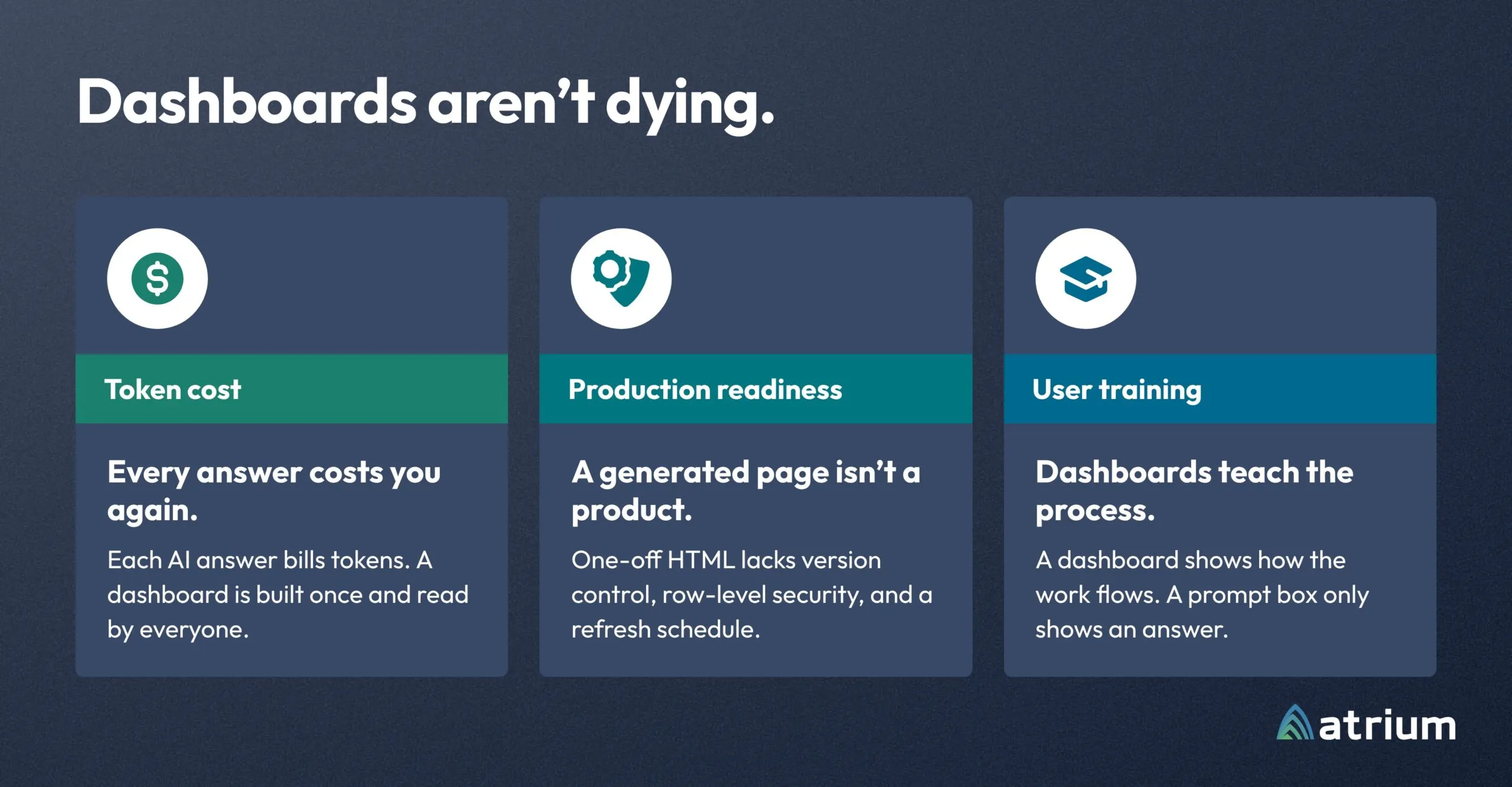
So, are they? No, and they won’t be for a long time, if ever. Some use cases are moving to AI agents, and they should. But dashboards keep their place for three reasons:
- Token cost and usage limits
- The work of putting AI-built dashboards into production
- Training
This is the first post in a series on how to think about business intelligence as AI reshapes it, focused less on the newest tools and more on the decisions they change.
Why token costs make dashboards the cheaper answer
Every AI-generated answer costs tokens, and a dashboard answers the same question for everyone without paying that cost again.
Picture 100 people opening an AI assistant each morning and asking some version of the same question. Each request pays to understand the question, pull the data, analyze it, and write the answer. By mid-morning, a real share of the team’s allowance is gone, spent producing the same answer 100 times.
We don’t talk about it much, but AI usage gets expensive quickly, and it’s easy to burn through thousands of tokens without noticing. Uber is the public example: Forbes reported that Uber used its entire 2026 AI budget by April, based on comments CTO Praveen Neppalli Naga made to The Information about the rapid spread of Claude Code among Uber’s engineers.
Questions like “What’s my total pipeline, and which deals are closing soon?” don’t need a fresh AI answer every morning. A prebuilt dashboard can answer them the moment a rep opens the CRM.
Usage limits make the tradeoff personal
When AI usage is capped, every routine question a user asks AI is a deeper question they can’t ask later.
Many organizations cap token usage to control costs. After the overrun, Uber capped spending on agentic coding tools at $1,500 per employee per month for each tool, according to Bloomberg. Cost pressure shows up in analyst forecasts too: Gartner predicted in June 2025 that over 40% of agentic AI projects will be canceled by the end of 2027, citing escalating costs along with unclear business value and inadequate risk controls.
Caps force users to be selective about what they ask. We might not admit it, but it’s common to feel blocked when you hit a limit mid-task and have to wait for it to reset. Why spend that allowance on simple questions a dashboard subscription or tearsheet already answers? Save tokens for the deeper questions a dashboard can’t answer, or for work that saves more time.
Why AI-generated HTML dashboards aren’t production-ready
A dashboard an AI tool generates is a starting point, not a production asset.
Another reason people declare dashboards dead is that they built a full HTML dashboard with their AI tool. It shows exactly what they want, with accurate data, until the data goes stale and someone has to regenerate it. Then it’s time to share it, and “Pipeline Dashboard v4.html” and “Pipeline Dashboard v4.3 (Joe’s Version).html” start cluttering everyone’s downloads folder. What changed between v1 and v4? Who’s Joe? What did Joe even change? It looks identical.
And notice: it’s still a dashboard. When people say AI-generated dashboards killed dashboards, what they really mean is that AI killed BI platforms. It didn’t. Generated HTML dashboards lead to more dashboard sprawl, siloed reporting, and inconsistent data security. Even if you add dynamic security and connect to a well-modeled data warehouse, scaling that dashboard to the whole company moves you toward building your own in-house analytics platform, which is the very thing most teams have spent years moving away from with BI modernization.
So ask the real question: do you want to build and maintain your own BI platform and absorb all the costs that come with it, or spend that money on the decisions dashboards support? BI platforms handle the scalability, governance, and maintenance enterprise analytics require. Consistent definitions matter more as AI joins the stack, too: Gartner predicts that by 2030, universal semantic layers will be treated as critical infrastructure alongside data platforms and cybersecurity.
What Claude Dashboards means for BI platforms
Claude Dashboards makes dashboards faster to build. It doesn’t replace the BI platform they run on.
Anthropic released Claude Dashboards in beta on October 8, 2026, and it’s one of the biggest shake-ups in this space so far. Claude builds a dashboard from a plain-language question, connected to data platforms like Snowflake, Databricks, and BigQuery, and keeps it current as the underlying data changes. At first glance, that seems to answer the stale-HTML problem above.
Look closer and three things stand out:
- Even Anthropic calls the product “Dashboards.” The format is the point.
- It hands off to BI platforms by design. Users can send a dashboard to tools including Sigma, Hex, and Omni today, with Tableau and Looker listed as coming soon. Sigma describes its integration as the path from a Claude prototype to a governed workbook or app.
- The goal is to make dashboards easier to build. That means more dashboards, and more of them landing in BI tools.
Will it contribute to sprawl? Almost certainly. Will it kill off BI platforms? Not likely, at least in the near term.
How dashboards train users to think through the business
Dashboards are training tools: they show users how a metric breaks down and what actions move it.
This is the least discussed reason dashboards are sticking around, and the most important one for end users. A well-designed dashboard does more than display numbers and charts. It walks users along an analysis path to an accurate conclusion. It shows how a headline metric breaks down into the drivers behind each change, and it teaches users to connect their own actions to outcomes.
For experienced users, the training effect may be small. A sales rep with 20 years in the field likely knows the pipeline and how to spot high-priority opportunities. A rep five months in benefits enormously from a dashboard that breaks down the lead-to-close process. Rebuilding your CRM and want a consistent selling process across the team? Build a dashboard that standardizes the process and the actions you expect along the way.
Experienced users aren’t exempt, either. Consider a veteran financial advisor. They understand market trends and the funnel that turns leads into clients. But ask whether they should spend advertising dollars on Facebook, Google, radio, or TV, and you’re outside their expertise. Dashboards give users a consistent framework for thinking through a problem, whatever their skill level, especially when the user experience is matched to the maturity of the data behind it.
Are dashboards dead? Why they will outlast the hype
The staying power of dashboards rests on a simple fact: humans are still at the center of decision-making.
Tableau, ThoughtSpot, Sigma, Power BI, and many others are going to be around for a while. Token costs and the work of productionizing vibe-coded HTML reports are real hurdles. Even if token costs fall and AI learns to reliably build enterprise-ready dashboards, what keeps dashboards alive won’t be the technical capabilities of any one BI tool. People still take in information best in consistent patterns, laid out thoughtfully and in a digestible format.
The delivery, the underlying tools, and the number of dashboards will change, and some dashboards will go away. What’s changing is which questions belong on a dashboard, in an embedded insight, or with an agent. The teams that get the most from AI won’t be the ones that retire their dashboards. They’ll be the ones that let dashboards handle the questions everyone asks, and save AI for the questions no dashboard can answer.
Frequently asked questions
Are dashboards dead?
No. AI agents are taking over some analytics use cases, but dashboards remain the most cost-effective and consistent way to answer questions many people ask repeatedly, such as pipeline totals or deals closing this month. They also carry the governance, security, and refresh that enterprise reporting requires.
Will AI agents replace BI dashboards?
AI agents will replace some dashboards, especially those built for one-off or exploratory questions. Questions asked daily by many users are better served by a governed dashboard, because each AI answer consumes tokens while a dashboard is built once and read by everyone.
Are AI-generated dashboards ready for production?
Usually not on their own. A dashboard generated as a standalone HTML file typically lacks version control, row-level security, a refresh schedule, and the ability to scale to hundreds of users, which is what BI platforms provide.
What is Claude Dashboards?
Claude Dashboards is an Anthropic feature, released in beta on October 8, 2026, that builds live dashboards from plain-language questions about connected data. Dashboards can be sent to BI tools such as Sigma, Hex, and Omni for governed use, with Tableau and Looker listed as coming soon.