


Putting Snowflake’s Connector for MySQL to the Test
TLDR/key takeaways:
- In Atrium’s hands-on test of MySQL to Snowflake CDC, the Snowflake Connector for MySQL loaded four Sakila tables with row counts matching the source, then replicated an update and an insert in about 20 to 30 seconds with no manual step.
- The Snowflake Connector for MySQL is a Preview feature with no general availability on Snowflake’s roadmap, and Snowflake points new work to the generally available Openflow Connector for MySQL.
- Snowflake documents that rows deleted through MySQL’s ON DELETE CASCADE are not recorded in the binary log, so they do not replicate to Snowflake and need a plan before production.
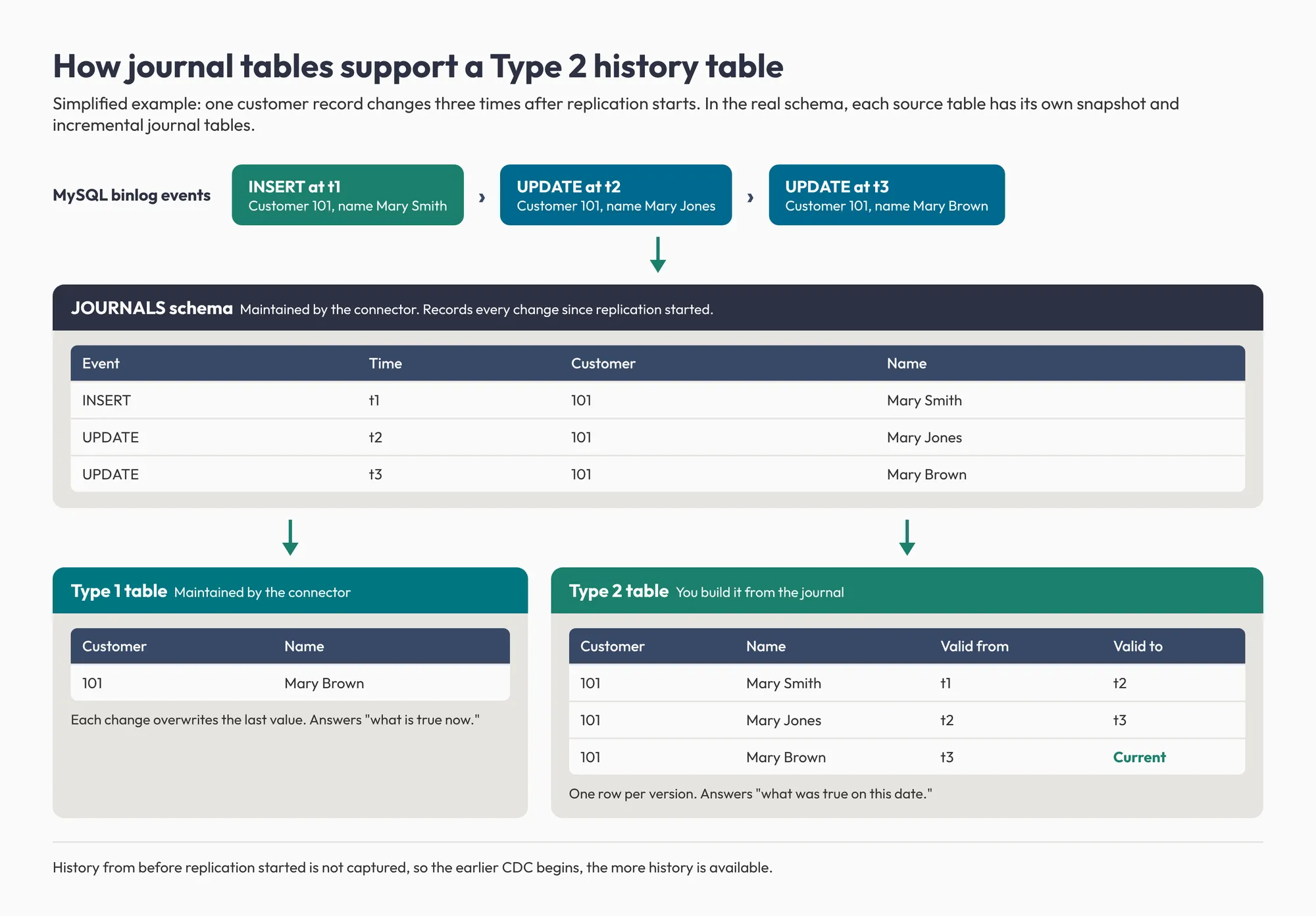
- The connector’s journal tables record every change since replication started, which makes a Type 2 history table a modeling task rather than a new pipeline.
Can a native CDC connector really keep Snowflake current with a live MySQL database?
A note on connector status: the Snowflake Connector for MySQL tested here is a Preview feature, and Snowflake directs new work to the generally available Openflow Connector for MySQL. This post covers the Preview connector as it behaved in our environment.
A connector is only as good as its worst day: the moment a source system changes and the platform downstream needs to know right away, not on the next batch cycle. That is the real test of any replication tool, and it is the one we set out to run.
We built a real MySQL database, connected it to Snowflake’s Connector for MySQL, and watched live changes flow end to end. This post covers how MySQL to Snowflake CDC behaved in our environment, a limitation worth planning around, and why the production path now runs through Openflow.
What MySQL to Snowflake CDC actually does
A one-time export tells you what was true when you ran it; change data capture keeps the destination current on its own. Most businesses want Snowflake to track the source without re-copying whole tables, and change data capture (CDC) does that by watching for individual changes and sending only those.
MySQL already records every change in its binary log, or binlog: each insert, update, and delete, in order. A CDC tool reads that log and replays what happened instead of comparing tables to spot differences. Snowflake’s Connector for MySQL works this way. It loads everything currently in a MySQL database, then keeps applying every change from that point on.
How we set up the test
We ran a MySQL 8 database locally in Docker with binlog logging turned on, configured as it would be in production. Into it we loaded Sakila, MySQL’s reference dataset: a fictional DVD rental business with customers, films, rentals, and payments linked by real foreign keys.
599 customers | 1,000 films | 16,044 rental records
The connector has two parts that work together:
- Inside Snowflake: a native application, installed from Snowflake Marketplace, that manages configuration, tracks replication state, and receives the data.
- Outside Snowflake: an Agent, a small program that runs wherever your database lives, whether that is your own data center, a cloud VM, or in our case a second Docker container on the same laptop. The Agent reads from MySQL and pushes changes to Snowflake.
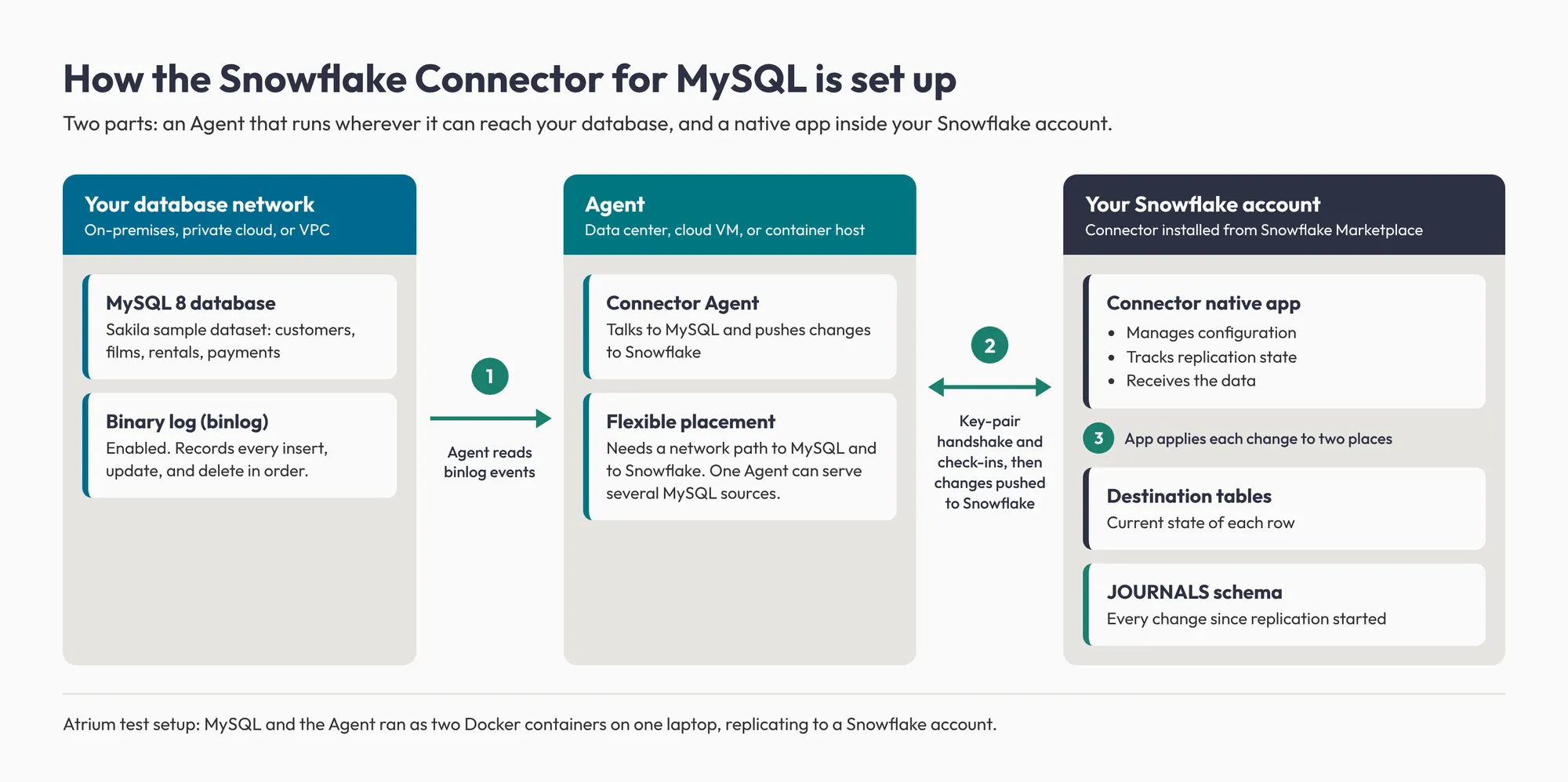
The two-part design gives the Agent real placement flexibility. It only needs a network path to the database and to Snowflake, and Snowflake’s Agent documentation says one Agent can serve as many MySQL data sources as it can reach directly. A central Agent can cover several databases instead of requiring new infrastructure on every database server.
Setup starts with a simple handshake. Snowflake generates a configuration file with a temporary credential, and on first startup the Agent exchanges it for a permanent key pair. In our setup, the Agent then checked in with Snowflake on a short, regular cycle and picked up newly registered tables without a restart.
Did the connector keep up with live changes?
Yes: the initial load matched the source exactly, and live changes reached Snowflake in about 20 to 30 seconds with no manual step.
We told the Agent to replicate four tables: customers, films, rentals, and payments. Within seconds it had read each table’s structure from MySQL (column names, data types, and primary keys) without any manual definitions. It also handled two MySQL types with no native Snowflake equivalent: ENUM and SET both mapped to VARCHAR.
Snowflake tracks each table through three stages:
| Stage | What it means |
|---|---|
| Reading the table structure | Confirms the connector understands the table’s shape |
| Copying existing data | The one-time initial load |
| Watching for new changes | Ongoing CDC with no set end |
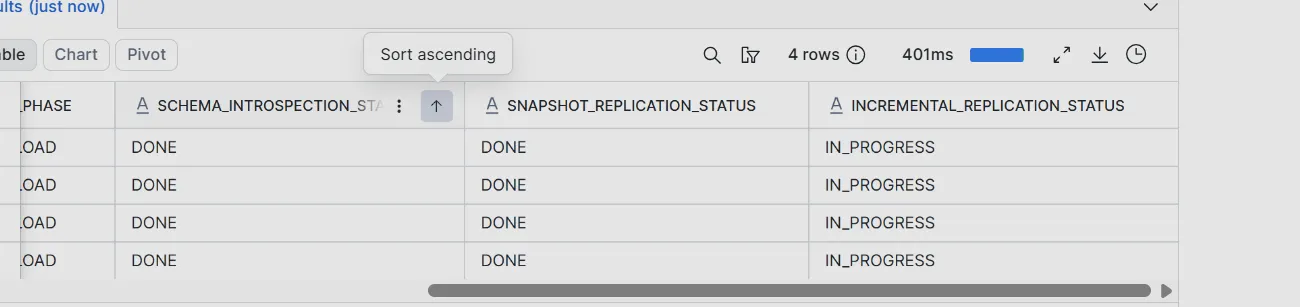
Within a couple of minutes, all four tables had finished their initial copy and moved into ongoing CDC, with row counts matching on both sides.
Status indicators do not prove changes are flowing, so we made three changes in MySQL and watched for them in Snowflake:
- Updating a customer’s name. The change appeared in Snowflake with no manual trigger or re-run.
- Adding a new customer record. The insert was read from the binlog and replicated with no manual intervention.
- Deleting a customer with existing payment records. MySQL rejected the delete at the source, enforcing the same InnoDB foreign-key constraint that would apply to any application. Because the delete never completed, no change event was generated, and the connector correctly replicated nothing, reflecting the actual state of the source.
A batch connector would have picked up these changes only on its next scheduled run, potentially hours later.
Cascading deletes are a limitation to plan around
Our schema blocked the delete outright, but MySQL also supports ON DELETE CASCADE, where deleting a parent row automatically removes its child rows. Snowflake documents that these cascaded deletions are not recorded in the binary log, so only the parent row’s deletion reaches Snowflake and the dependent rows stay behind. Snowflake states this for the Openflow Connector for MySQL, which reads the same binlog, so treat it as a constraint for either connector.
How the connector’s change history supports Type 2 tables
The connector keeps an internal journal of every change it processes, which turns history tracking into a modeling task instead of a new pipeline. Underneath the tables you query, it maintains a separate log of every insert, update, and delete since replication started, recorded in order in its own JOURNALS schema.
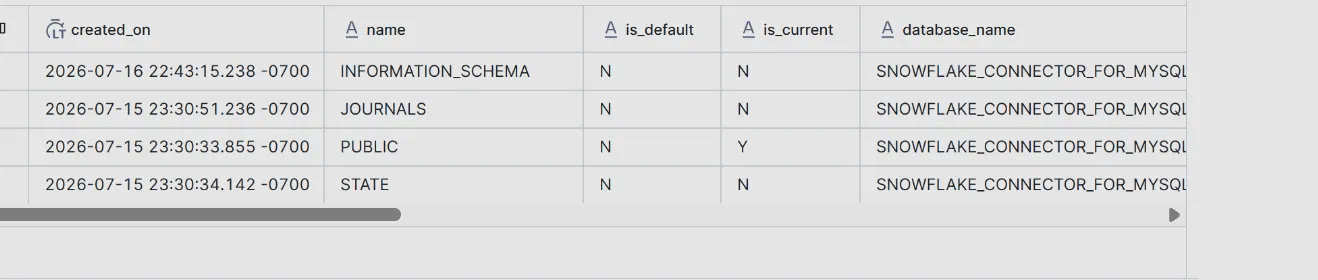
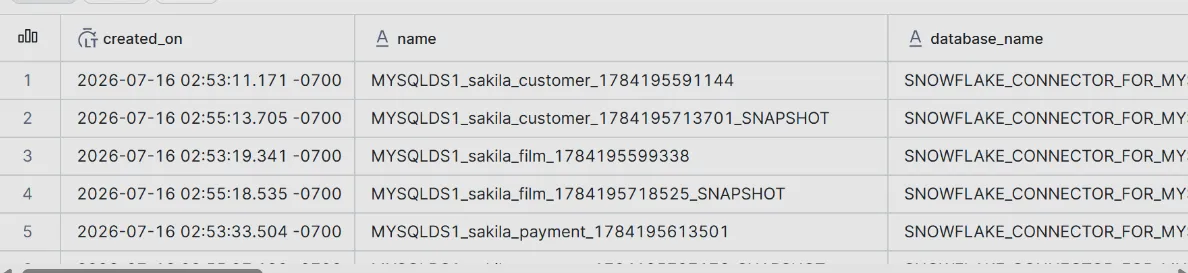
The tables you query day to day show only the latest version of each row, overwritten on every change. That is a Type 1 slowly changing dimension, and it is the right default for operational reporting, where “what is true right now” is the only question.
When the question becomes “what was true on this date,” Type 1 is not enough. Because the journal already holds every change recorded since the sync started, building a Type 2 dimension (one row per version, with start and end dates) means modeling on data you already have. The connector maintains the current-state (Type 1) tables and the journal but does not build a Type 2 table, so that model is yours to build, and history from before replication began is not captured. Most teams discover they need history after it is gone; starting CDC early means it accumulates from day one.
Where Openflow fits for production MySQL CDC
One clean test is a proof of concept, and for production planning the connector’s status matters most. A real Snowflake migration spans many source systems, each with its own volume, change frequency, and tolerance for lag, so one MySQL database flowing cleanly is only the first data point.
General availability for the Preview connector we tested is currently not on Snowflake’s roadmap, while the Openflow Connector for MySQL is generally available. Openflow replicates MySQL 8.0 and 8.4 sources, and MariaDB 11.4 or later, in near real time or on a schedule. It moves each table through the same three stages we saw in this test: schema introspection, snapshot load, and incremental load. Snowflake’s engineering team explains how Openflow reads the MySQL binlog and streams changes into Snowflake, and our overview of Snowflake Openflow covers where it fits beyond databases.
Openflow is configured differently and has its own limits, so run the test again on Openflow before anything goes to production. Four checks matter most for an Openflow implementation:
- Timing: decide which tables need changes in near real time and which can refresh on a schedule.
- Capacity: size the Openflow runtime for the sustained volume of changes it will handle.
- Row identity: confirm each table has a primary key or a NOT NULL unique index, which the connector uses to match rows. Tables without either need a logical key configured.
- Deletes: check whether the database relies on cascading deletes or TRUNCATE. Openflow does not replicate rows removed by a cascade and ignores TRUNCATE, so those rows would stay behind in Snowflake.
Working through these checks is what separates a working demo from an architecture a business can depend on. It is the kind of evaluation work our Snowflake data engineering team does for every connector and migration.
Frequently asked questions
What is the difference between the Snowflake Connector for MySQL and the Openflow Connector for MySQL?
The Snowflake Connector for MySQL is a Preview native app paired with an Agent, and Snowflake has said general availability is not on its roadmap. The Openflow Connector for MySQL is generally available and is the option Snowflake directs new MySQL replication work toward.
How fast does MySQL to Snowflake CDC replicate changes?
In Atrium’s test of the Snowflake Connector for MySQL, an update and an insert reached Snowflake in about 20 to 30 seconds with no manual step. Production latency depends on change volume, network, and configuration, so measure it in your own environment.
Do Snowflake’s MySQL connectors replicate cascading deletes?
Not fully. Snowflake documents for the Openflow Connector for MySQL that rows removed by ON DELETE CASCADE are not recorded in the MySQL binary log, so those dependent-row deletions do not reach Snowflake. The Preview connector reads the same binlog, and Openflow also ignores TRUNCATE statements.
Can you build a Type 2 slowly changing dimension from MySQL CDC data in Snowflake?
Yes, for changes captured after replication starts. The Snowflake Connector for MySQL keeps journal tables of every change it processes, and a Type 2 table can be modeled on top of them, though the connector itself does not build the Type 2 table.